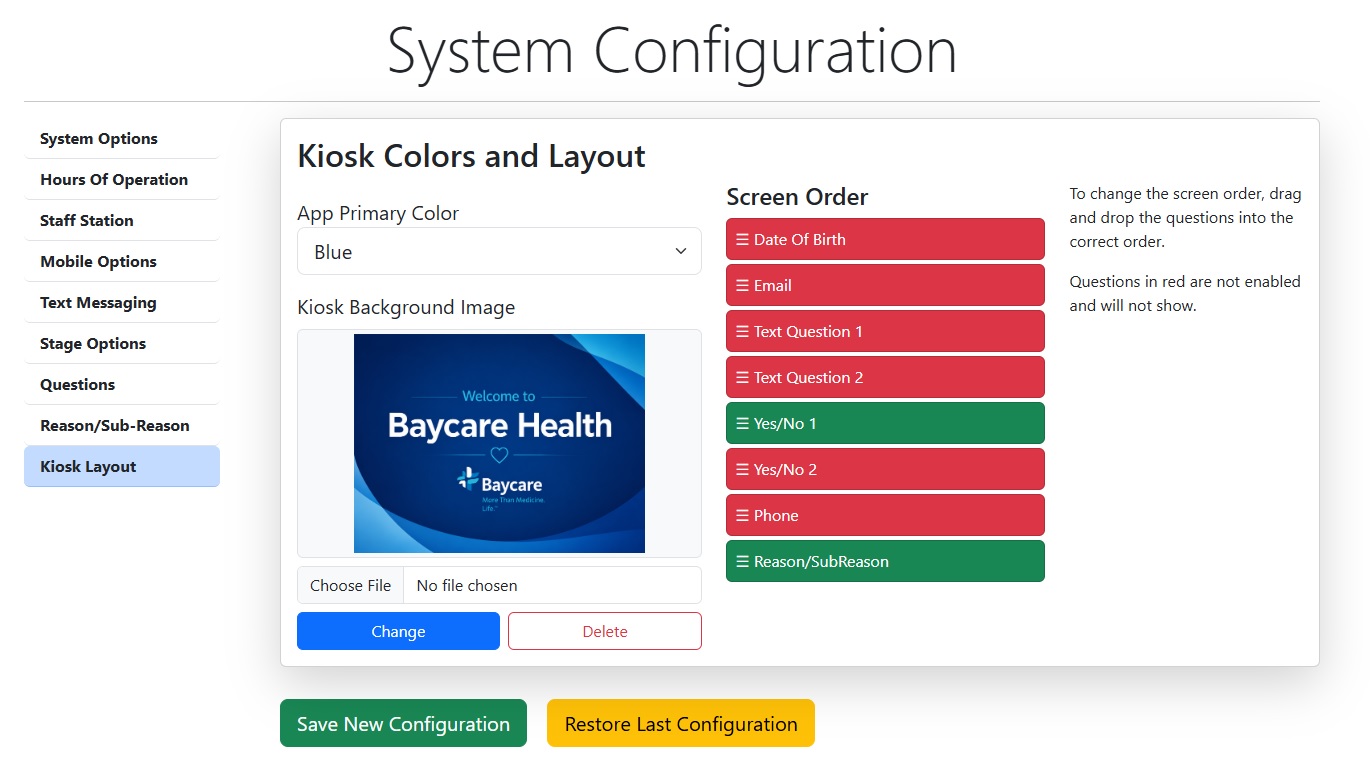
Add a Splash Image to your Kiosk
Increase your brand by adding a background image to your Patient Check In kiosk.
How to add a branding image to your kiosk
Branding your kiosk gives a professional look for the arriving patients. The background image is used to add that branding to the patient check in kiosk.
Requirements
- Filename in .jpg or .png format
- Size of 1920x1285 or 2360x1640
- Leave room at the bottom of the image for the language choice buttons
- Do not add buttons or links. They are already built in.
Instructions
- Log in to back end as an Admin user
- Go to the Admin Menu
- Select Configuration
- On left menu, Select Kiosk Layout
- If you are changing the image, delete the existing image first
- Select an image from your computer and upload
- Type UPDATE on first screen of the iPad